


Unlock Exclusive Bonus Content
Register your compatible Yamaha keyboard to receive an unlock code.
Enter the code in the Expansion Explorer app to access and install exclusive bonus content for your instrument.
3 Steps to Unlock Bonus Contents
-
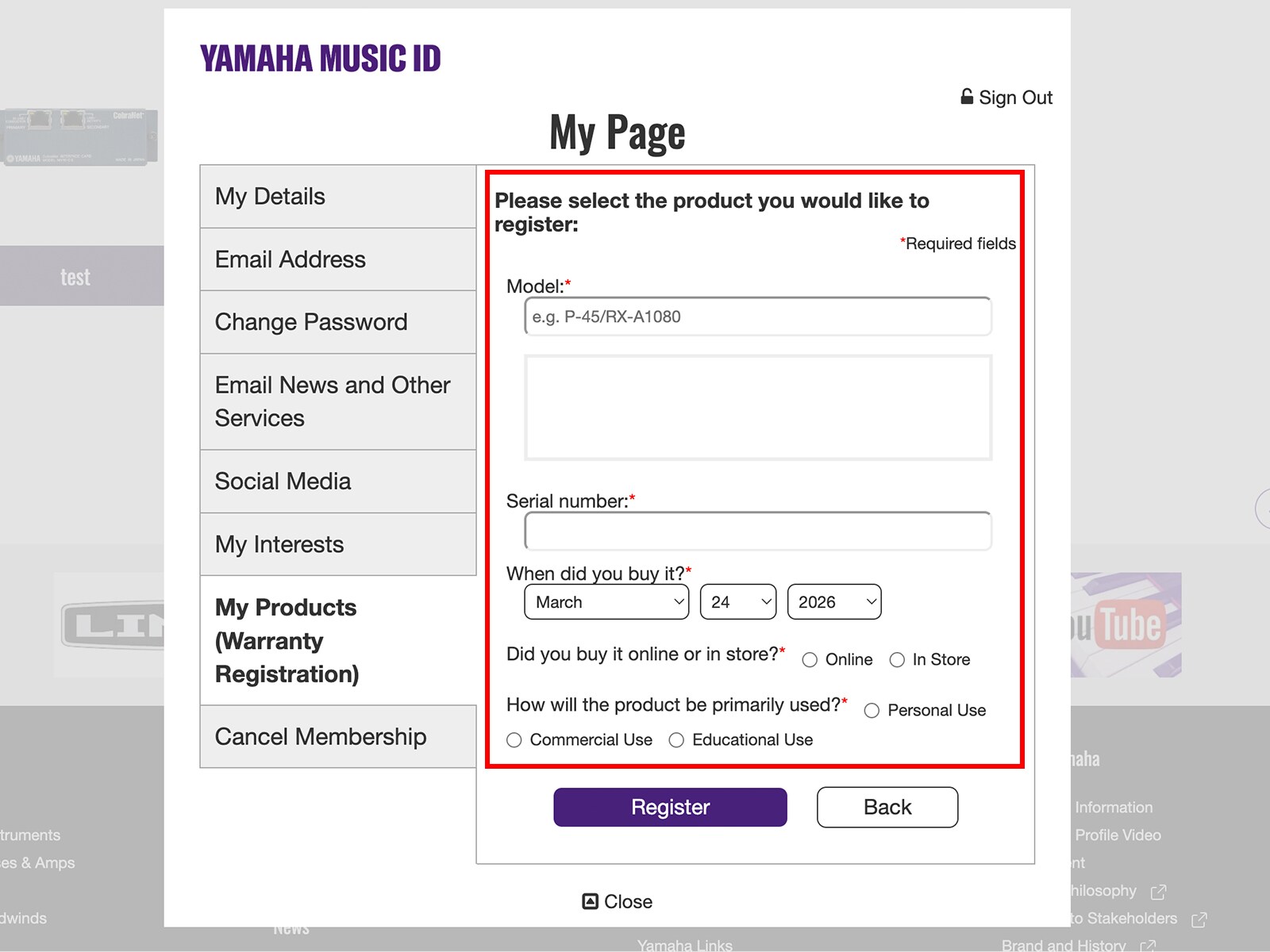
Step 1
Register your compatible Yamaha instrument.
-
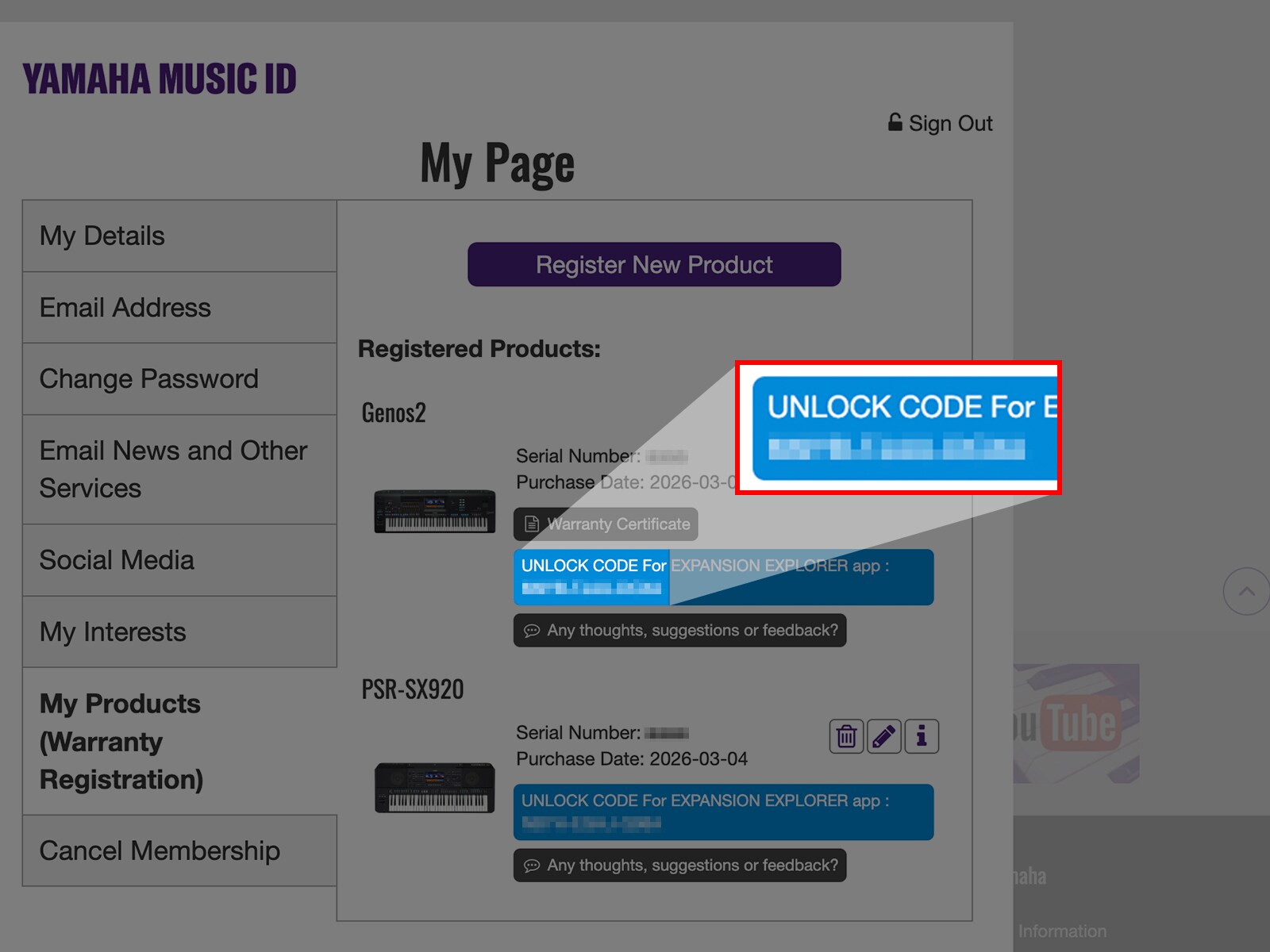
Step 2
Find your Unlock Code on your “My Page” in your Yamaha Music ID account or in your reigistration email.
-
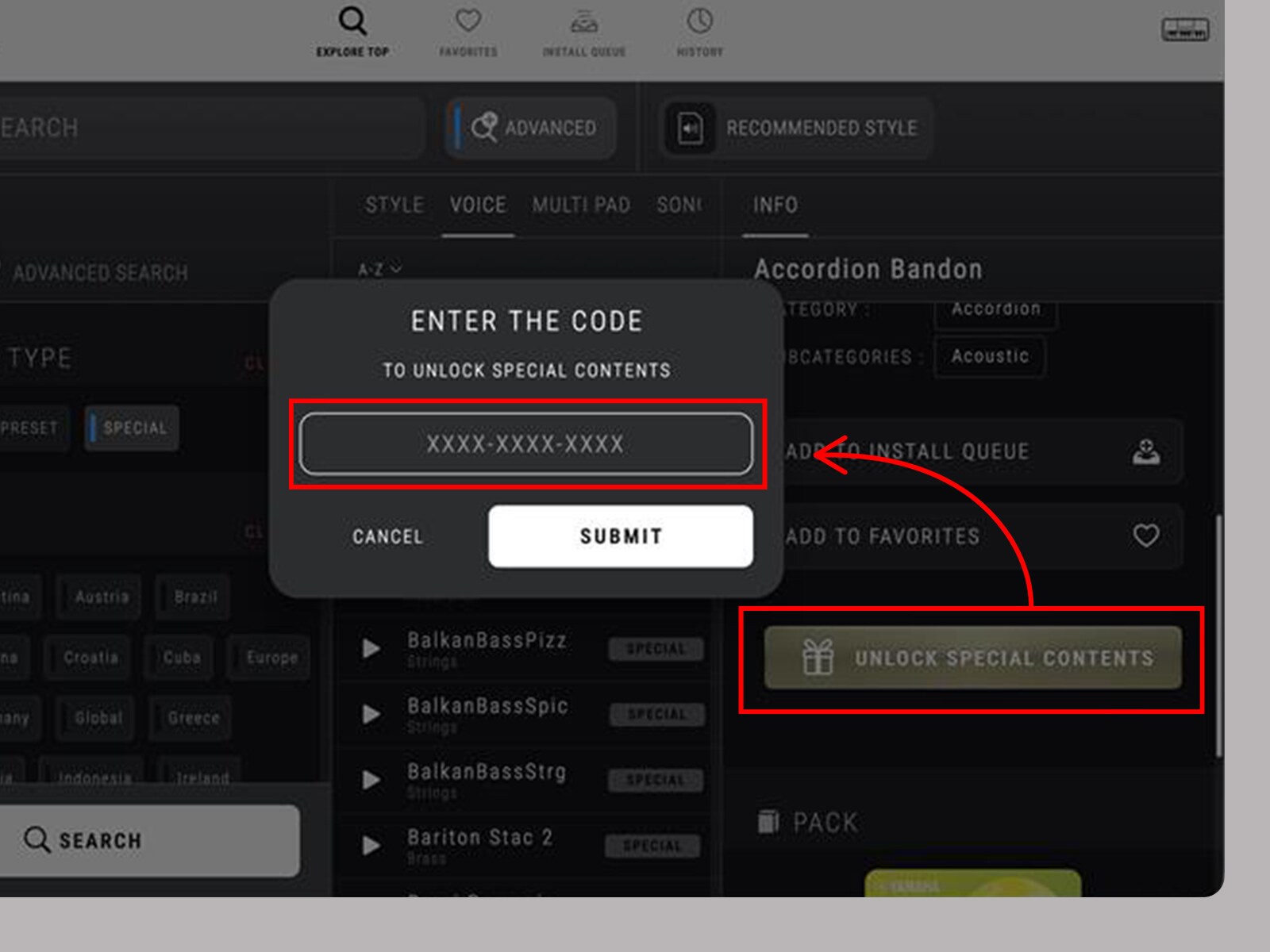
Step 3
Enter your code in Expansion Explorer and enjoy your bonus content.
*Important notice
The download information will be sent via email. Please place a check in "Email newsletters about regional events and campaigns".
